

Signin Authentication Pages
Set Up the Model
The Sign In will be build around the following model. Add the model to your Models folder.
No need to run a migration via Update Database as the table for this data was created in the last step.
Add Actions to the Controller
Add Actions to the Controllers/SecurityController.cs as follows:
Create a View for the Signin
Create a View at Views/Security/SignIn.cshtml
You should now be able to test the application. Try accessing the CMS and use the login and password registered earlier.
Identity Cookies
Identity is controlled by a Cookie .AspNetCore.Identity.Application. This can be viewed through the Application tab of the Google Chrome Inspector.
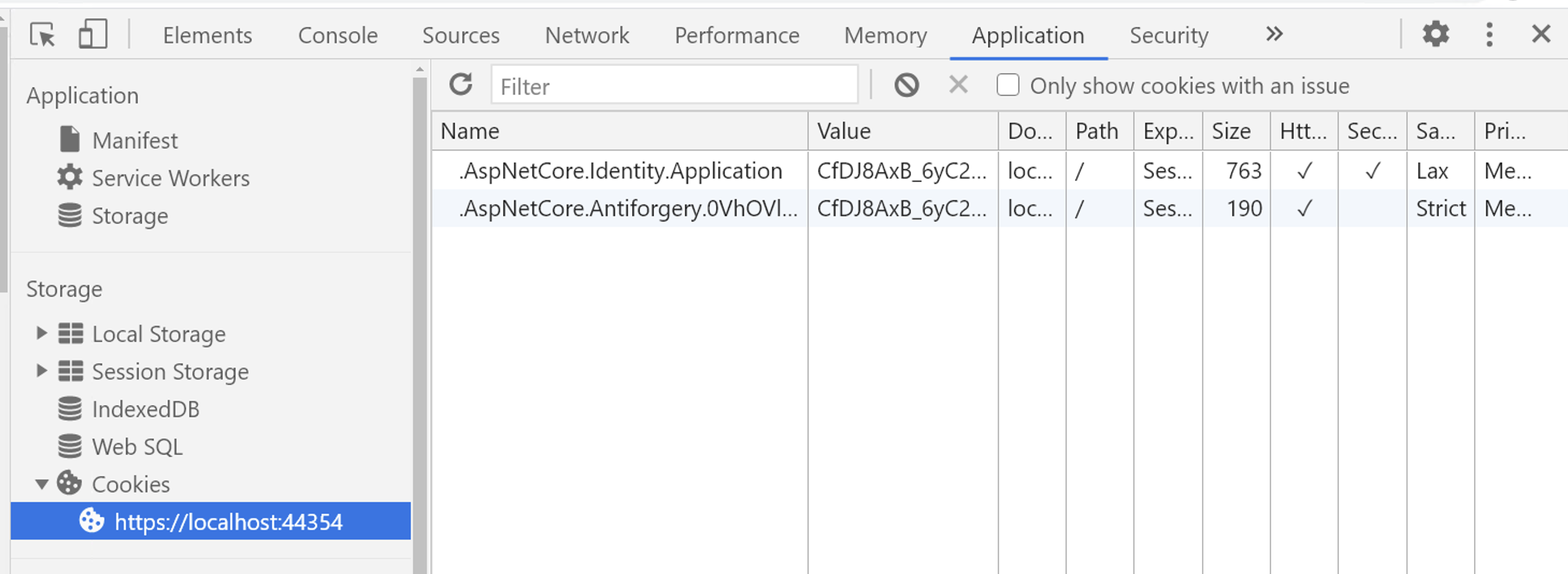
The Cookie controlling the Identity framework can be renamed in Startup.cs in the options for the ConfigureApplicationCookie using an option value of Cookie.Name
Deleting the cookies would force the user to be logged out. However, you'll want a this to be done through the application which we'll do next.