

How Page and PageModels Relate
Setting Up a Page and PageModel
Instead of a Controller as seen with the MVC approach, ASP.NET Core Razor Pages use a page-focused programming model.
Each Page of extenstion .cshtml has an associated PageModel of extension .cshtml.cs
In the pages folder, create a Page called News.cshtml. Do so via:
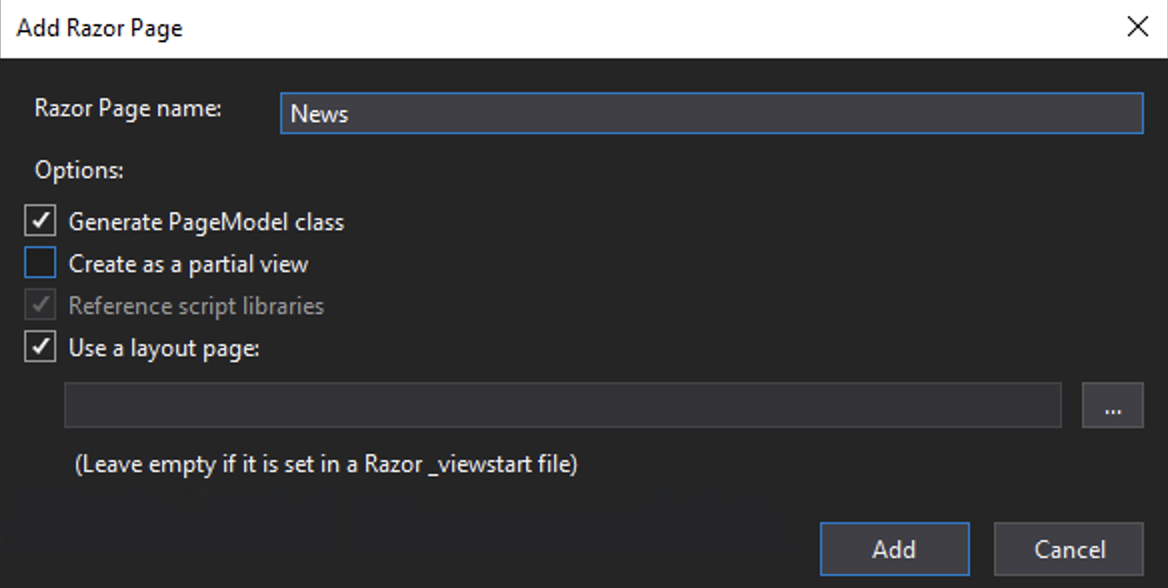
Ensure that Generate a PageModel class is checked. This will create a .cshtml and associated PageModel.cshtml.cs file.
The Page appears as follows:
The @page directive must be the first line of the Page and is unique to Razor Pages (as such not seen in the MVC approach).
The @page directive makes the file into an action, equivalent to those set up in the Controller in the MVC approach. As such the Page handles requests directly, removing the need for a Controller.
The second directive @model points to the PageModel for the Page.
You will also see a Razor block with ViewData been used to set the Page title.
The PageModel file News.cshtml.cs appears as follows:
Notice that the Model inherits from the PageModel class and that the name of the Model matches that of the Page but with the suffix of Model, in the above example NewsModel. By inheriting from PageModel the model gains functionality such as httpContext, request and response values and TempData which form 'actions' for the model.
GET and POST
By default pages will come with an OnGet() method. This is an 'action' or handler for HTTP GET calls against the page. As well as OnGet() developers could us OnPost() where, for example, data is sent from a HTML form of method POST.
Using ViewData
As with MVC ViewData can be used as a container for data. With Razor Pages ViewData values can be set in Page or PageModel
The starter page assigned a ViewData value for the HTML page <title> but we can add others:
To set ViewData in the PageModel use:
In either case the ViewData value is included in the Page with:
Accessing Page Model data in the Page
With Razor Pages you are not limited to ViewData for passing data to the Page. Variables that have an accessor modifier of public are available to the page as properties of the Model.
With the public property of the Model declared in the PageModel, it can then be used in the Page as follows:
Notice there is no need to reference Model.latestNews as the model is understood by the Page via the @model directive.
ViewBag and Razor Pages
With MVC we had the option to use ViewData and ViewBag. With Razor Pages ViewBag is not available when setting variables in PageModel. However, it can be set in the Page (which does make it of limited use).