

Adding Data
This document references a Repo found on GitHub at:
Supporting Video: Building a Content Management System (CMS) with ASP.net Core MVC
Content Management System
Once we've queried and displayed data the next logical functionaliy would be to add the Creating, Updating and Deleting elements of CRUDing (Creating, Reading, Updating, Deleting). This type of functionality typically forms part of a Content Management System (CMS), allowing users to in effect manage the data.
Note:
Ordinarily this type of functionality would be password protected. Authentication is something we'll consider later.
Setting Up The Controller
For the purposes of the CMS a second Controller will be created. This is done to ease maintainance as they will be a lot of Actions required. It will also be beneficial once security features are added later.
Open the file Controllers/CMSController.
This file has already been made aware of the DbContext and has an index action to load all the films from the sample table.
In the View Views/CMS/Index.cshtml all the films are listed and there are links to other Views to facilitate adding, updating and deleting. For example there is hyperlink to http:localhost:5000/CMS/AddFilm/
Setting Up The Actions
To add data to the table requires two Actions in the controller. The first will display the HTML form to allow a new record to be added, the second Action will add the values submitted to the database. Both these Actions will have the same name but are differentiated by having attributes of HttpGet for the controller showing the blank form, and HttpPost for the Action to insert the data.
The Initial View with the Blank Form
In the Controllers/CMSController add the first action as follows:
This is a straight forward call to the View. Now create the view.
Tag Helpers are used in the form to create connect the <label> and form fields.
Form Model
A Model to work with the form has been created in Models/FilmForm.cs.
Currently this Model is very similar to the Models/Film.cs model but having a separate model will have benefits for validation.
The Models/Film.cs model has the FilmTitle and FilmCertificate flagged as [Required].
Action to Handle Form Submission
In the controller now add a second Action this time to receive data from the form. The form has a method of post so the second controller will have the [httpPost] attribute. We can also use the same method name for the action as it will differ from the httpGet version by also taking a parameter. The parameter is the Film model from the form.
The new data is added to the table via the Add of DBSet and the SaveChanges methods of DbContext. The controller then redirects to the AllFilms Action and thus the AllFilms View.
Adding Validation
The form is currently without any validation. This can be added Client side with Javascript or Server-Side within the logic of the MVC App.
If an attempt is made to add a new Film without a FilmTitle the user gets redirected to the form with no indication that the submission has failed. With no value for FilmTitle and FilmCertificate which are flagged as [Required] in the Model the action will fail.
To add Server Side Validation to in the Models/FilmForm.cs add the [Required] attribute above FilmTitle and FilmCertificate as follows:
The asp-validation-for Tag Helper will facilitate form validation in the View.
In the Views/CMS/AddFilm.cshtml add Tag Helpers as follows:
In the Controller Controllers/CMSController place conditional logic around the query checking to see if the ModelState.IsValid. If the model is not valid, rather than a redirect, the user is returned to the View.
When tested with a blank submission error messages are now produced:
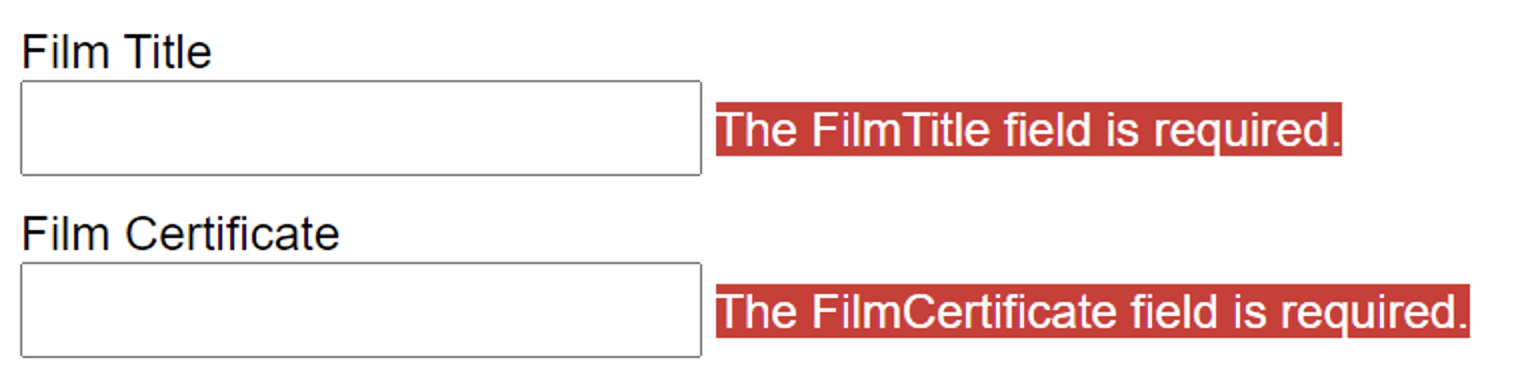
The default messages can be customized in the Model.
Challenge: Add further valiation including some custom validation.