

Session Based Shopping Cart
This document references a Repo found on GitHub at:
This demo site will make use of sessions to build a shopping cart. The cart information is held in a session and therefore would be lost when the browers is closed but this example could be extended to store the shopping cart details in a database.
The demo builds on the Films database created in earlier tutorials.
Building a Model
The shopping cart will need to store data. As such we will create a Model to reflect the data structure.
Create a model at Models/CartItem.cs as follows:
Storing Complex Data in a Session
Data in Sessions can be stored as integers or strings. However, data in JSON format can be serialized for storage and transmission.
JSON serialization serializes the public properties of an object into a string. For example, a list of CartItem data such as:
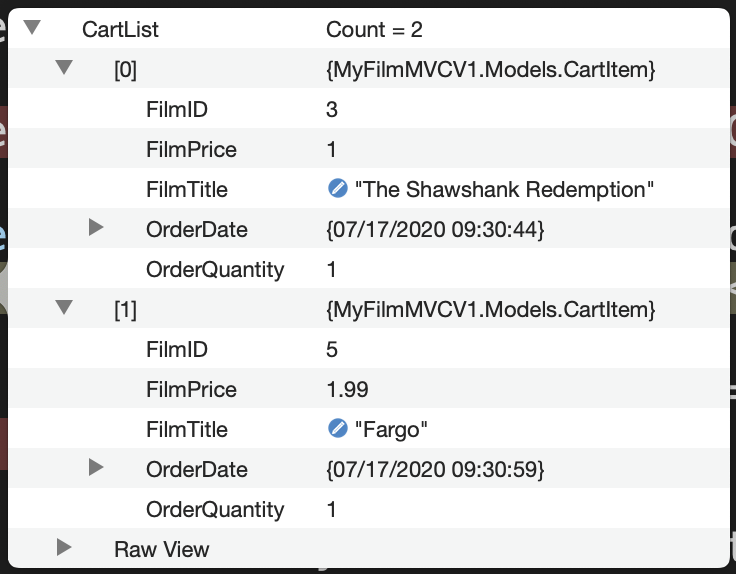
... can be serialized into a String of:
The above String can be stored in a session. The process can be reversed as well. Serialization and Deserialization are handling by JsonSerializer.Serialize and JsonSerializer.Deserialize respectively (which will require using System.Text.Json;).
Amend the Details View to Add an Item to the Cart
Amend the Views/Home/FilmDetails.cshtml View from the previous example to include a HTML form to add an item to the cart.
Amend the Controller to Edit the Cart
Create a variable for the cart session called SessionCart. This will make it easier to reference the cart.
Create a HttpPost triggered IActionResult to handle the form submission.
The above generates a CartItem based on the form submission. A CartList List of CartItem is created to manipulate the cart data.
The Action checks to see if there is a session variable for the cart and if there is it retrieves the cart data by deserializing the string into a CartList List of CartItem objects.
It checks to see if an item is already in the cart by running the FilmID through the FirstOrDefault method.
If the item exists the OrderQuantity is incremented accordingly. If there is no match a new order is added to the CartList.
If there is no session variable for the cart then the new order is added to the CartList.
In either case the CartList is then serialized with JsonSerializer.Serialize() and the string stored in the session using HttpContext.Session.SetString().